EssentialsX GeoIP
EssentialsX GeoIP integrates geographical IP lookup features into EssentialsX, allowing you to determine approximately where your players come from.
Setting up the plugin
First, you'll need to register for access to the GeoLite2 database, which EssentialsX downloads and uses to perform IP lookups.
Go to the MaxMind website and fill in your details to sign up for access to the GeoLite2 database:
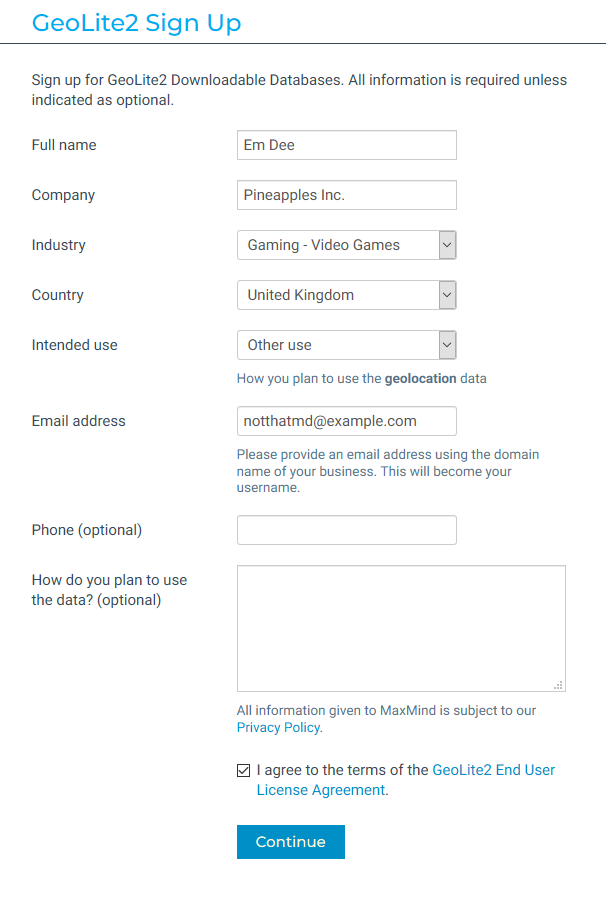
You'll need to agree to the GeoLite2 EULA in order to use the database.
Click Continue, then once you've received your email from MaxMind, set up a password using the link in the email, and log into your MaxMind account.
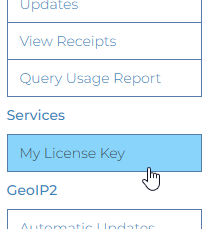
Once you're logged in, scroll down and click My License Key on the left-hand side:
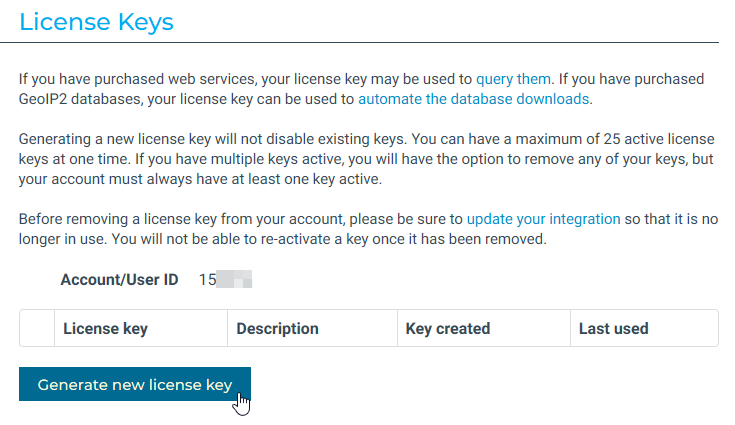
Next, click Generate new license key:
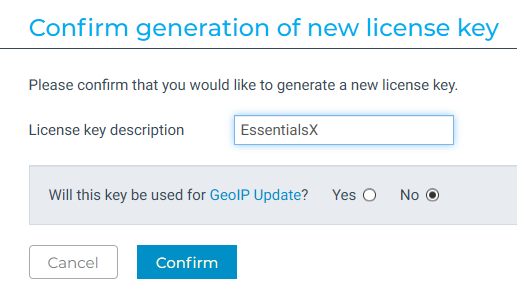
Type in a name like EssentialsX key as the description and click No in the box below, then click Confirm:
You should now receive a license key. Copy this down somewhere safe, as you won't be able to see the original key again later on.
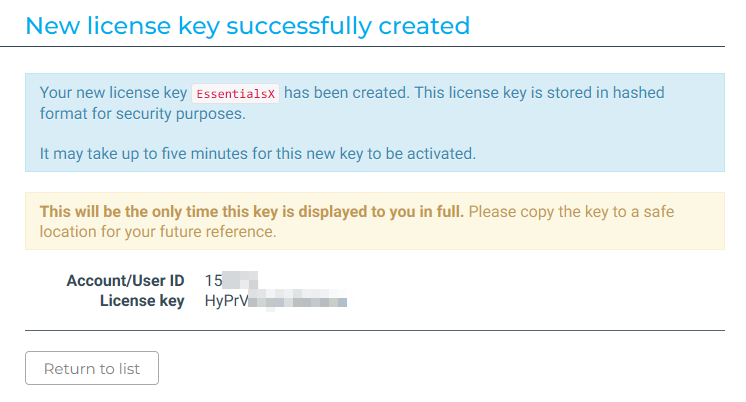
Next, you'll need to download and install the EssentialsXGeoIP jar - you can see how to do this [[Installing-EssentialsX|here]]. Start and stop your server, then open plugins/EssentialsGeoIP/config.yml in a text editor. Copy the license key from before into the license-key setting, save the file and then restart your server.
Once you start the server up, the plugin will download the database using your license key and will keep it up-to-date every 30 days.
Using the plugin
EssentialsX GeoIP provides the permission essentials.geoip.show. With this permission, staff will be able to:
- See a player's approximate location when they log in
- See a player's approximate location when you run
/whois <player>
Giving a player the permission essentials.geoip.hide will prevent their location showing up in either of these situations.